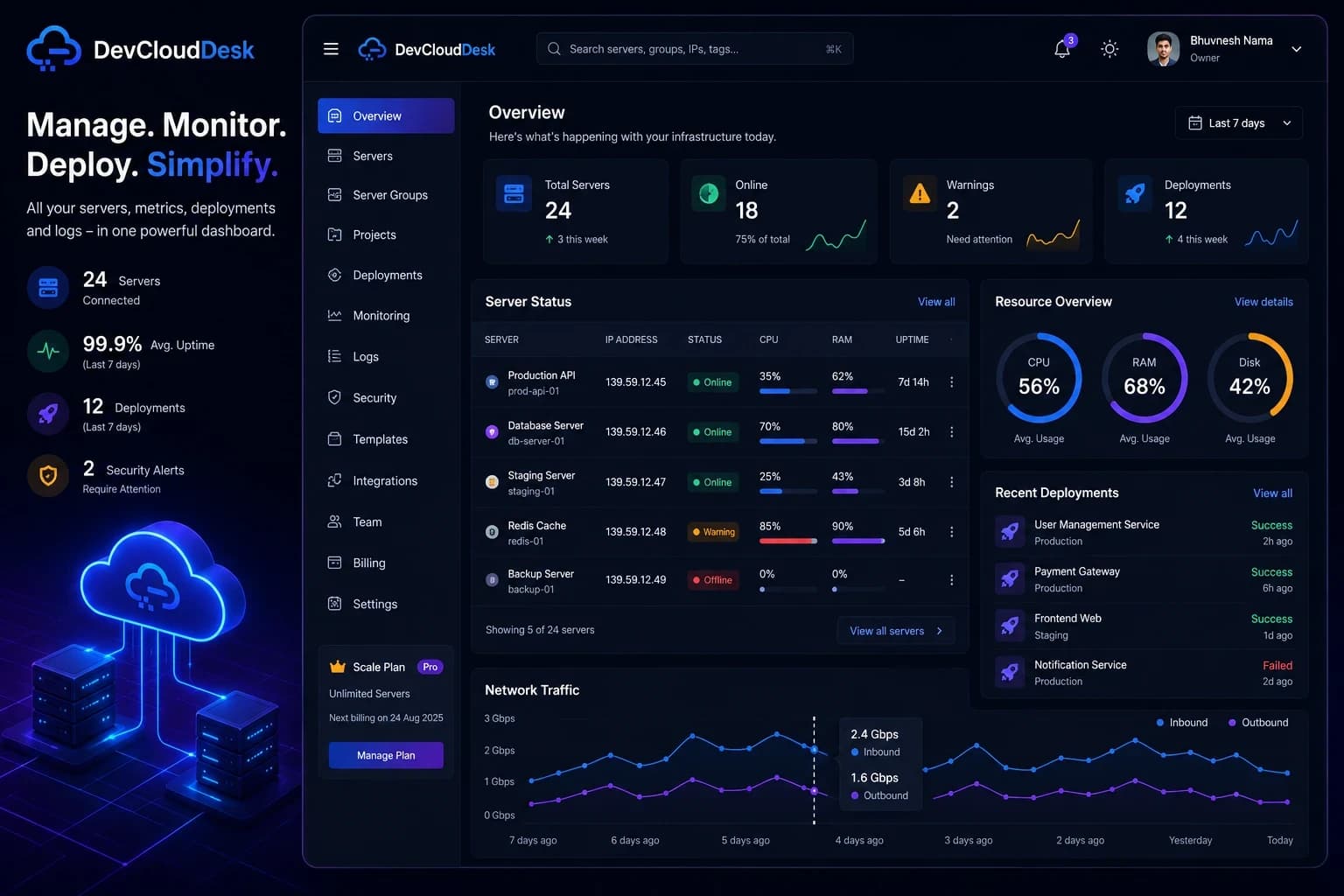
Secure Infrastructure Management Studio
Manage Your Infrastructure Securely From Anywhere
Built for DevOps teams that need control, speed, and trust.
Access, monitor, and manage your servers through a unified and secure DevOps platform.
The problem
Server work becomes a mess when it lives in your memory.
- -Jumping between terminals
- -Remembering commands
- -No idea what's happening across servers
The solution
A dashboard that gives you control and visibility.
- One dashboard
- Visual control
- Real-time insights
Core capabilities
Everything your team needs to securely operate infrastructure and ship reliable deployments.
Authorized browser access with monitored, session-based controls.
CPU/RAM/disk, ports, top processes, and notifications.
Browse, upload, download, and manage server files.
Docker, Nginx, PM2, plus Postgres/MySQL/Mongo tools.
Projects, GitHub deploys, templates, and scheduled jobs.
How it works
Register infrastructure, establish a secure session, then operate with visibility.
Register infrastructure
Add authorized servers and map them by project or environment.
Establish secure session
Use secure terminal access or agent-based access with policy controls.
Operate with visibility
Manage secure terminal, monitoring, files, and services in one place.
Work inside secure terminal sessions
with assistant context
Open authorized shell sessions from the browser, keep session context visible, and use the terminal assistant without leaving your operational workspace.
- Start controlled terminal sessions for authorized servers
- Keep assistant guidance beside the active shell
- Share sessions through explicit access controls
Run authorized terminal sessions with a contextual assistant and share controls in the same view.
Product views
Explore the core DevCloudDesk workflows for server management, service control, and security visibility.
Manage Docker, Nginx, PM2, MongoDB, PostgreSQL, MySQL, and Redis from one controlled workspace.
Track CPU, memory, disk, load, viewers, uptime, and stream health during live server sessions.
Browse server directories, inspect paths, and manage files through a structured browser interface.
Why choose a secure infrastructure platform?
Direct terminal tools are useful, but teams need policy controls, audit trails, and centralized visibility.
Direct terminal workflow
Useful for quick fixes, but hard to audit, share safely, or scale across teams.
- Ad-hoc terminal sessions
- Local command history
- Unclear access scope
- Limited session visibility
- Manual operational risk
DevCloudDesk
Built for repeatable infrastructure work with access controls, visibility, and operational history.
Security and compliance,
by design
Built for organizations that need secure, controlled, and monitored infrastructure operations.
- Encrypted connections for web and agent channels
- Session-based access with managed authorization
- Activity logging for operational traceability
- Access restrictions with role and policy controls
Keep operations consistent across production and staging, and maintain auditable change history for regulated environments.
Clear rules for safe operations
DevCloudDesk is for authorized infrastructure only, with abuse reporting, transactional email practices, and published operating policies.
Use cases
Secure workflows for teams operating real-world infrastructure.
Developers managing VPS
Run controlled deployments, service operations, and secure terminal tasks from one workspace.
Teams handling deployments
Use role-based controls, access history, and monitored workflows across environments.
Infrastructure monitoring
Track infrastructure health, alerts, and session activity with centralized visibility.
Compliance-focused operations
Maintain controlled access, activity logging, and clear operational history across environments.
Start managing your infrastructure
securely in minutes
Secure terminal access, monitoring, logs, and service control in one unified DevOps platform.
No credit card required to start